TruSpace

Drawing Vault

Every drawing, every version, on demand.

Secure, cloud-based archive for every building document in the portfolio, from legacy paper scans to precision CAD. Preview, download, and organize it all, discoverable with a simple search.
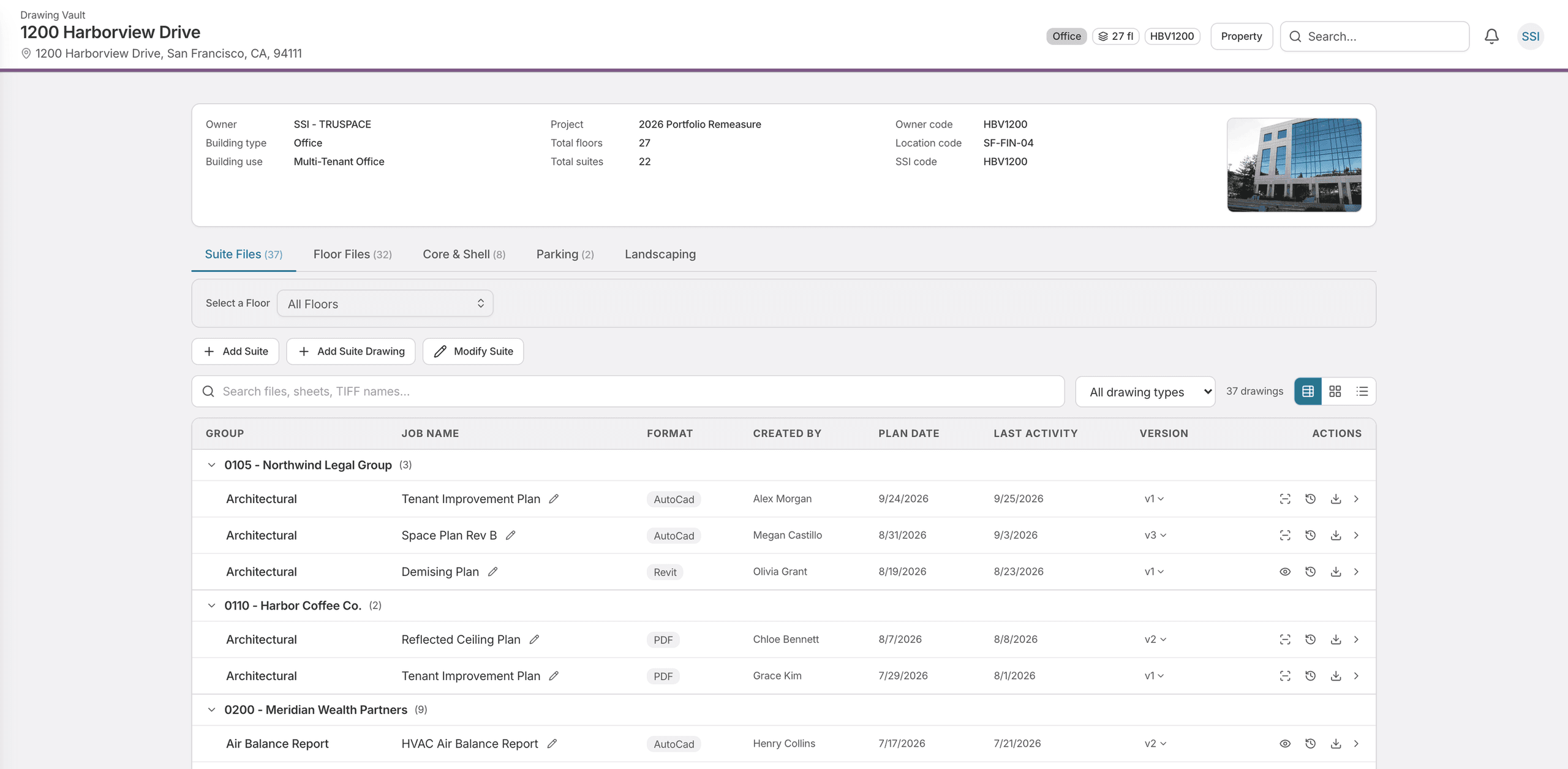

A building's drawing set in the TruSpace Drawing Vault: a header giving the owner, building type and use, floor and suite counts and building codes, tabs for suite files, floor files, core and shell, parking and landscaping, and a table of drawings grouped by suite with each one's format, who created it, plan date, last activity and version.

Get the right drawing to the right people.

“How do we get our contractor in without giving them everything, and without having to remember to take it away?” This is the answer to that question.

1 of 2

Version tracking

New versions are recorded as they land, so the current file is unambiguous and the upload history is visible.

Legacy digitization

Paper drawings or hand-sketched plans digitized and cataloged into one searchable system.

Single-sheet extraction

Open one sheet out of a packaged set without downloading the whole thing.

Persistent markup

Draw on a PDF and the markup stays attached to the drawing, so you can explain proposed changes in depth.

Search and structure

Find a drawing by building, floor, date, document type, or tenant, and organize the vault the way your team works.

Temporary accounts

Issue a contractor or outside reviewer a Drawing Vault–only account with an expiry set in days. The invitee sets their own password, so no credentials are emailed, and access lapses on its own without anyone having to remember to revoke it.

Built for everyone who needs the drawing.

  • Building Engineers

    As-builts and mechanicals pulled up on site, from the current version rather than whatever was last emailed around.

  • Property Managers

    Share a drawing without hunting through email chains for the version someone else thinks is current.

  • Architects and Contractors

    Verified base drawings through a time-limited account that expires on its own — no shared credentials, no access left open after the job.

See the Drawing Vault in action.

Schedule a walkthrough and we'll show you how your drawings are stored, found, versioned, and shared.